Product Description
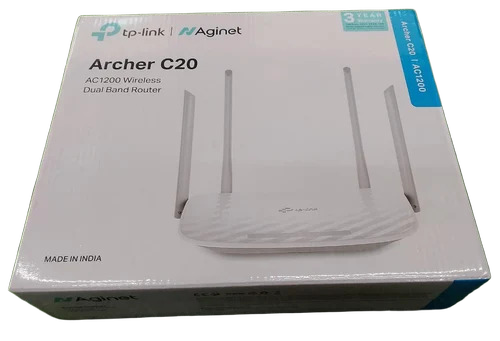
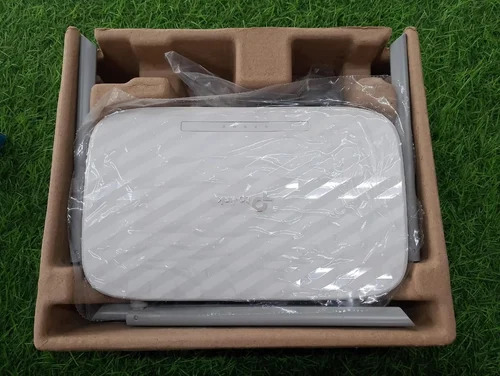
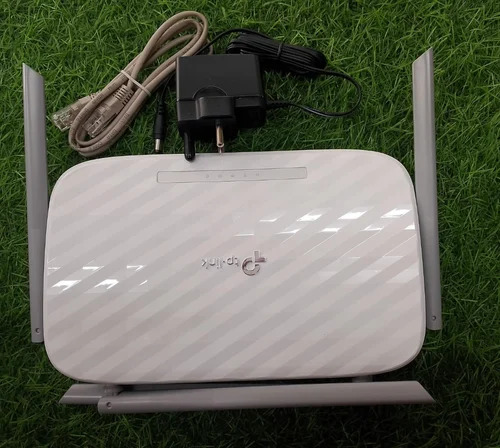
Experience Elite connectivity with the Tp Link Archer C20 AC1200 Wireless Router, a superlative best-seller designed for impeccable performance. Featuring WiFi Standard 802.11ac (WiFi 5) and sizzling speeds up to 1200 Mbps, this excellent dual-band device (2.4GHz+5GHz) ensures seamless streaming and gaming. Three external antennas offer robust coverage, while advanced WPA/WPA2 security keeps your network safe. With Ethernet WAN, four LAN ports, LED indicators, and a chic white design, Archer C20 delivers outstanding reliability for homes and offices. Enjoy precise control via the Web Management Interface and flexible desktop mounting, making it the superior choice for modern connectivity.
Versatile Features and Flexible Applications
The Archer C20 is engineered with stellar functionality for home and small business use. Its dual-band connectivity ensures stable performance across multiple devices, while features like Guest Network and Parental Control make management simple. Three external antennas guarantee strong coverage, and remote web management provides effortless control. With static/dynamic IP routing and support for multiple ports, this router excels in scenarios ranging from streaming to online work, making it an ideal addition for those seeking reliable wireless solutions.
Supply, Certifications, and Export Markets
Supplied by trusted traders and service providers, the Archer C20 is available for immediate quotation and competitive sale price in India. Transport Services facilitate timely delivery for bulk and individual orders. This model adheres to high certification standards and is frequently exported to various main markets, ensuring global compatibility and satisfaction. Reliable supply ability and comprehensive after-sales support position the Archer C20 as a top choice for distributors, ensuring excellence from purchase to installation.
FAQ's of Tp Link Archer C20 Ac1200 Wireless Router:
Q: How do I manage the Archer C20 Wireless Router remotely?
A: You can manage the Archer C20's settings remotely using the Web Management Interface, giving you access to controls and configurations from any connected device.
Q: What benefits does dual-band connectivity offer in the Archer C20?
A: Dual-band (2.4 GHz and 5 GHz) connectivity allows for better bandwidth allocation, reducing interference and enhancing device performance for streaming, gaming, and browsing.
Q: When should I use the Guest Network feature on this router?
A: The Guest Network feature is best used when you have visitors who need internet access but you wish to keep your main network secure and private.
Q: Where is the best location to mount the Archer C20 for optimal coverage?
A: For optimum coverage, place the router centrally in your home or office, keeping it elevated and away from walls or large obstructions to maximize signal strength.
Q: What is the process for setting up parental controls on the Archer C20?
A: Parental controls can be configured easily through the web interface, allowing you to set restrictions on internet usage and access specific sites for different users.
Q: How many devices can connect simultaneously to the Archer C20?
A: The Archer C20 supports multiple devices at once, and its robust dual-band technology ensures stable connections with minimal interference.






 Send Inquiry
