Product Description
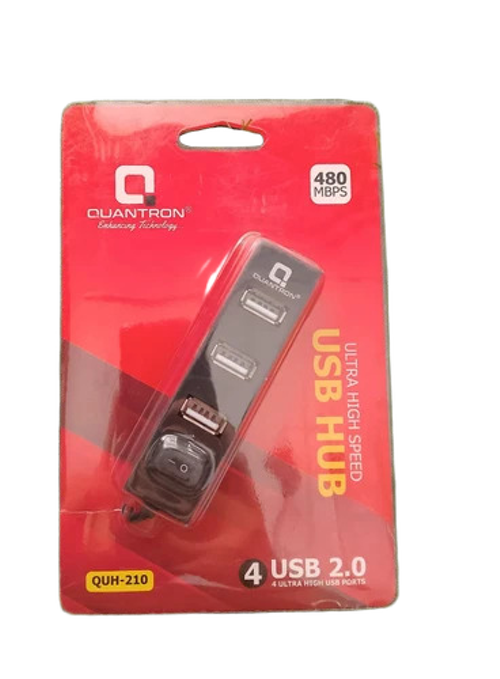
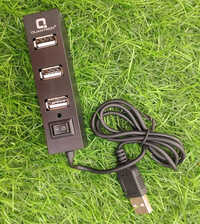
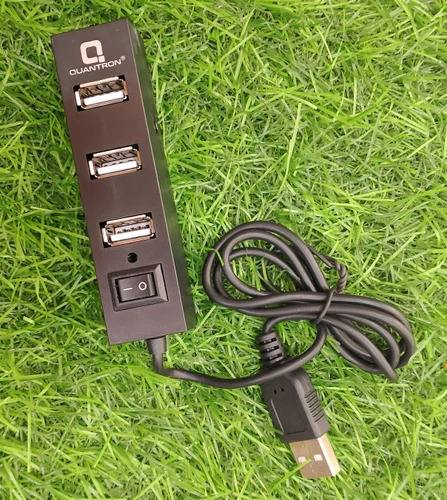
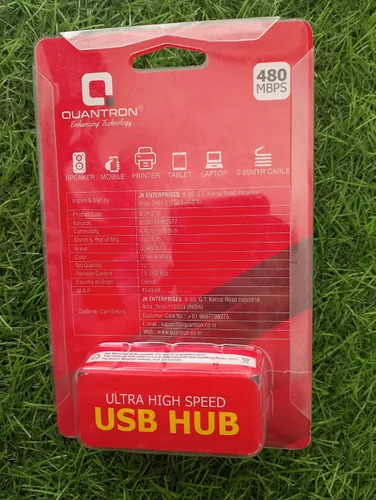
Purchase the Quantron QUH-210 USB Hub to explore affordable and unparalleled connectivity, delivered by the renowned Quantron brand. This prodigious USB hub sports four USB 2.0 ports and a slim, compact design tailored for seamless desktop or laptop integration. The plug & play convenience demands no driver installation, and LED indicators show port status clearly. Its durable plastic body, lightweight build, and universal compatibility across Windows, Mac, and Linux make it a versatile solution. Perfect for printers, mice, keyboards, and more, discover the QUH-210 for an efficient workspace.
Versatile Usage Made Effortless
The Quantron QUH-210 USB Hub is engineered for desktop and laptop usage, accommodating a variety of USB-enabled devices. Its universal compatibility makes it suitable for both professional and personal computing environments. Simply connect the hub to your device using the included USB-A cable (approx. 15-20 cm), and you're ready to expand connectivity instantly. Whether in offices or homes, its plug & play operation ensures a smooth and quick setup every time.
Sample Availability and Competitive Pricing
Interested in evaluating the Quantron QUH-210 USB Hub? Samples are available for domestic market clients. With FOB (Free On Board) Port options in India, we confidently offer products at the lowest price for traders and suppliers. Efficient dispatching ensures that samples and bulk orders reach you promptly. Our transparent sample policy emphasizes reliability and prompt service, making us a trusted partner in the IT peripherals space.
FAQ's of Quantron QUH-210 USB Hub:
Q: How do I install the Quantron QUH-210 USB Hub?
A: Installation is extremely easy-just plug the QUH-210 into any USB-A port on your desktop or laptop. No additional drivers or software are necessary, making it truly plug & play.
Q: What devices can I connect to this USB hub?
A: The hub supports connections for multiple devices such as printers, mice, keyboards, external drives, and other USB-enable accessories, providing expanded functionality for both PCs and laptops.
Q: Where is the QUH-210 suitable for use?
A: This USB hub is suitable for use in both home and office settings, especially wherever there's a need to expand USB connectivity for Windows, Mac, or Linux systems.
Q: What are the benefits of the LED port status indicators?
A: The integrated LED indicators display the connection status of each port, helping users quickly determine which ports are active, for a more organized and efficient workflow.
Q: Can I purchase the QUH-210 USB Hub for business or retail?
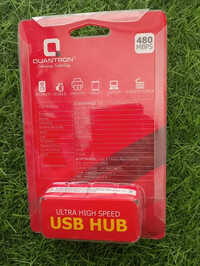
A: Yes, the QUH-210 is available for purchase by service providers, suppliers, and traders within India. Its on-package hanging slot makes it retail display ready for shop fronts and counters.





 Send Inquiry
